
PopEmote

Animated emote workflow

Twitch Emote Resizer for GIF

Animated emotes have to fit into Twitch's manual-mode 512KB-per-size budget without losing the bit that makes them funny. This Twitch emote resizer for GIF handles dimension resize, palette reduction, and file-size checks in one pass — and flags common animated-emote risks before you download.

Browser tool

Drop a GIF or image

Manual ZIP

112 / 56 / 28

Auto source

112×112

Pre-flight

9 common checks

Output preview

112×112
56×56
28×28

Chat preview

How it reads in chat

Twitch-like preview, not affiliated with Twitch.

28×28 focus
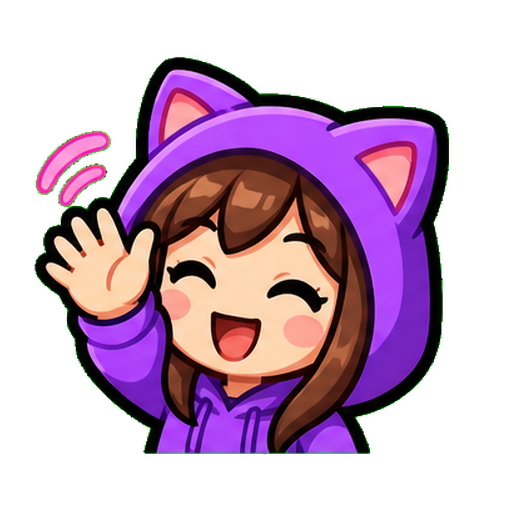
nyx_streams:Original cat-hoodie streamer waving emotewelcome lads
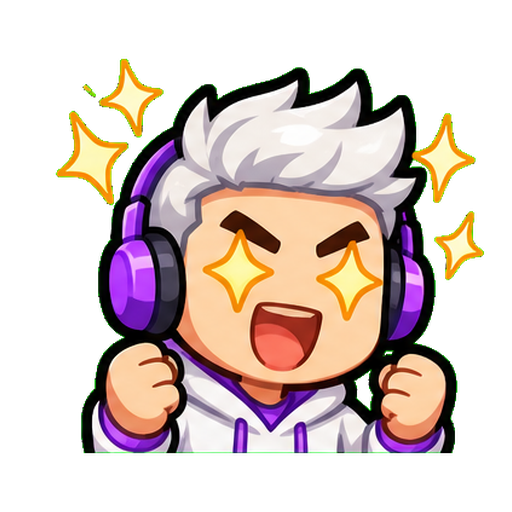
mod_42:Original white-haired gamer hype laugh emotehuge laugh
random_viewer:Original surprised fast motion streamer emotelurking with tea

What this Twitch emote resizer for GIF is actually doing

Twitch's animated emote spec has three things you have to hit at the same time — dimensions (28/56/112 manual or 112-4096 auto), file size (512KB per size manual, 1MB auto), and frame rules (≤ 60 frames, no more than 3 flashes per second). A naive resize fixes dimensions and breaks file size. A naive compressor fixes file size and breaks the animation. This one does all three at once. Static PNG emotes? Use the main Twitch emote resizer on the home page.

Smart frame optimization

We start by dropping redundant frames where the visible change is below a perceptual threshold. Most animated emotes have 6–12 "real" frames and the rest are filler — removing those gets you a long way under 512KB without visible quality loss.

Color quantization

After frame optimization, the palette gets reduced from 256 colors toward the smallest count that still fits the size budget. At 28×28 you can usually drop to 64 or 32 colors with little visible difference.

Dimension resize last

Resize happens last because applying it to optimized frames is faster and cleaner than the other order. Each frame gets a sharp downsample so motion stays crisp.

Twitch's animated emote rules — and where this GIF emote resizer helps

RuleWhat it meansTool handles it?
1MB auto / 512KB manualFile size cap per uploadYes, both modes
≤ 60 framesAnimations longer than 60 frames need trimmingYes, with frame-count warning
≤ 3 flashes/secAccessibility rule; fast flashing should be slowed downYes, heuristic check + warning
1:1 squareNo rectangular GIFsYes, forced
GIF only (no APNG)Twitch's uploader expects GIFWe export GIF

Full spec details on the Twitch emote size guide.

Why animated Twitch emotes show upload risk

File size over the manual-mode 512KB limit

A common issue is getting the dimensions right but exporting files at 600–800KB. The pre-flight check flags that risk before download.

Flash rate violations

Twitch has an accessibility rule around fast flashing. Detecting flash rate exactly is hard from the outside, so the tool runs a frame-by-frame heuristic that estimates flashes per second and flags anything that looks risky. When you see the warning, slow the animation down or drop frames.

APNG instead of GIF

Some tools produce APNG even when the file looks like an animation in preview. Twitch animated emotes need GIF, so PopEmote exports GIF.

Inconsistent frame timing

GIFs with mixed frame delays can read as broken animation in chat. The re-encoder normalizes this.

Step-by-step — resize a GIF for Twitch

Drop in your animated GIF

Drag the file into the box above or click to browse. Source up to 20MB works fine. The bigger your source, the better the 28×28 output.

Watch the live preview in the chat mockup

As soon as the resize is done you can hit play on the chat preview and see your animated emote at 28×28 in a fake Twitch chat. This catches the "looks great in Photoshop, looks like a blob in chat" problem before you upload.

Download all three sizes as a ZIP

One click, three files, named correctly for the Creator Dashboard.

Chat preview

How it reads in chat

Twitch-like preview, not affiliated with Twitch.

28×28 focus
nyx_streams:Original cat-hoodie streamer waving emotewelcome lads
mod_42:Original white-haired gamer hype laugh emotehuge laugh
random_viewer:Original surprised fast motion streamer emotelurking with tea

GIF emote checks need their own lane

GIFs are not just static images with motion. The page keeps animated intent separate so frame count, timing, motion safety, and size budgets can evolve without slowing the main resizer.

Read the Twitch emote size guide

FAQ — GIF emote resizer

Does Twitch accept GIF emotes?

Yes — animated emotes have been a thing since June 2021. Available to Affiliates and Partners.

What's the file size limit for animated Twitch emotes?

In auto-resize mode, 1MB for the single uploaded square. In manual mode, 512KB per file across the three sizes.

Why does my GIF emote still show upload risk after resizing?

Three usual suspects. One, you went over 512KB at one of the sizes in manual mode. Two, the animation flashes too fast (over three flashes per second). Three, the file is APNG instead of GIF. The pre-flight check flags all three as risks before you download.

Will this Twitch emote resizer for GIF reduce quality?

Some, yeah. To get under 512KB you usually have to lose color depth or drop redundant frames. The tool tries to lose color palette before frames or dimensions, since palette loss is the least visible at 28×28. You can override the trade-offs in advanced settings.

Can I convert a static PNG to an animated emote?

You can but it'll just be a one-frame GIF — uploading a static PNG directly via the main Twitch emote resizer is a better path. Real animation needs a multi-frame source: animated PNG, video, or a Photoshop animation timeline export.

Should I use auto-resize mode or manual mode?

Auto-resize is faster — one upload, Twitch handles the rest. Manual gives you per-size control, especially valuable for the 28×28 where details get destroyed. If your design has fine detail, go manual and simplify the 28×28 by hand.

Related Twitch emote resources